
GSA Search Engine Ranker: Automated SEO Campaign & Link-Building Software
Streamline your off-page SEO workflows with customizable campaign automation. Discover niche-relevant platforms, manage multi-project outreach, and monitor link placements 24/7 from a single desktop dashboard.
Launch Your First Campaign in 3 Simple Steps
1. Create a Project and Select Platforms
Action: Open the software and click "New Project" in the top menu.Selection: Select the types of platforms that fit your campaign, such as article directories, Web 2.0 sites, forums, or wikis.
2. Add Your URLs and Content
Target: Enter the website addresses you want to promote, along with suitable anchor text and descriptions.Content: Add your own articles or use the built-in Article Manager and supported third-party content tools.
3. Apply Filters and Start the Project
Quality: Define your target audience - choose relevant languages, countries, platform types, and other quality settings such as minimum authority metrics.Launch: Click the big "Start" button. The software will now run 24/7 to find targets, solve CAPTCHAs, and build your backlinks automatically.
Why Is It Still Used by SEO Experts Around the World for Over 20 Years?
Unlike traditional SEO software that relies on fixed databases, our software adapts to the web in real time. It dynamically discovers new platforms, creates accounts, and submits content.
- Dynamic Platform Discovery: Automatically scrapes and identifies new backlink targets by searching Google for matching sites.
- Smart Quality Filters: Filter sites by country, language, and authority metrics to maintain a clean, spam-free link profile.
- All-in-One Integration: Seamlessly connects with 30+ CAPTCHA services, text spinners, AI APIs, and indexing tools.
- One-Time Payment: Pay once instead of subscribing every month. The license includes free lifetime updates.
Improve Search Engine Rankings with Automated SEO Strategies
Everyone can improve their website ranking with our software. As long as you have an SEO strategy, we have the tool - your imagination and creativity are the only limits. Projects can run independently, allowing you to work with multiple websites or campaign tiers from one interface.
Monitor Submitted Links
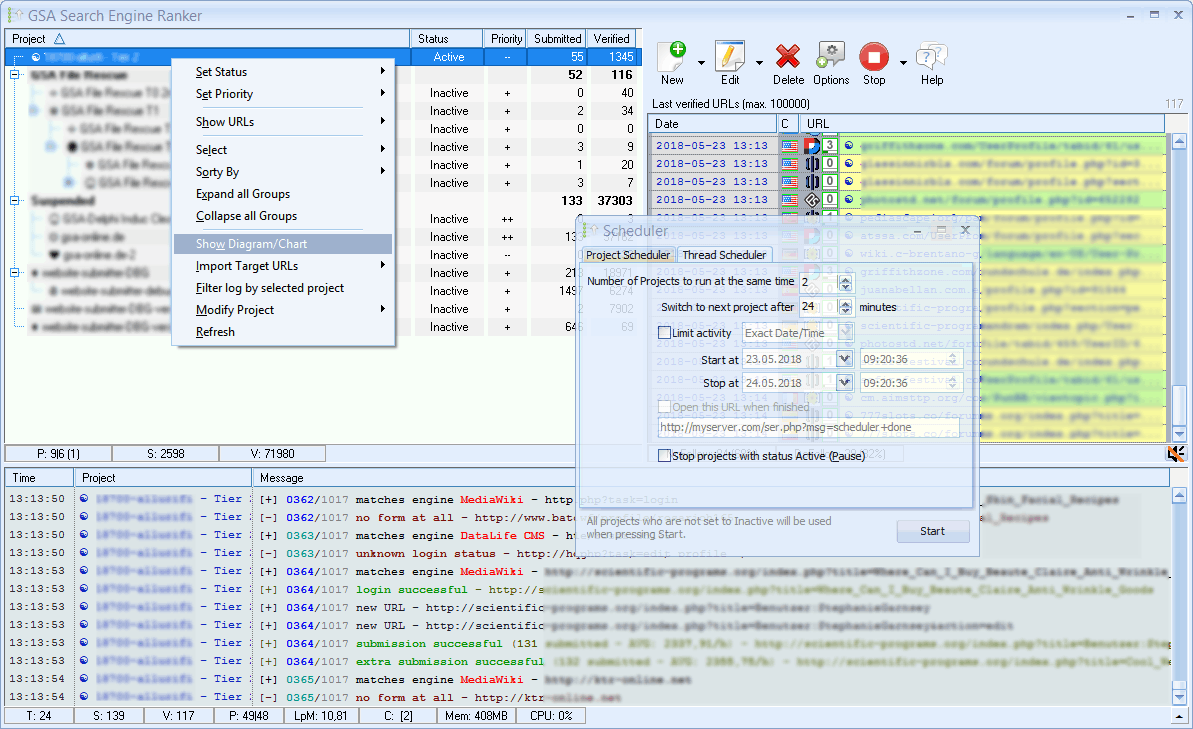
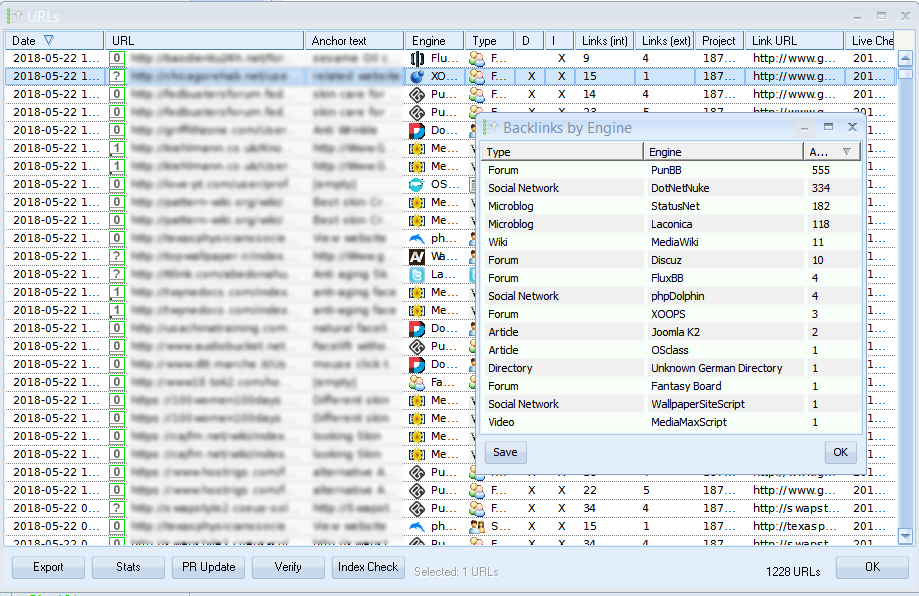
Review campaign statistics and check whether submitted links are still available. You can even have the software remove previously created links automatically (login, edit, and remove posting).
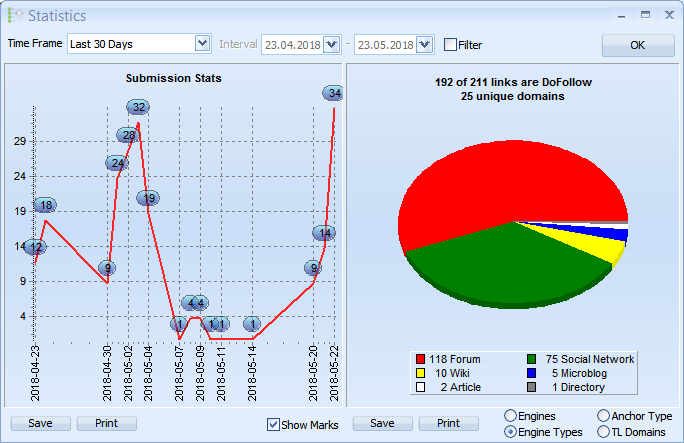
Review Campaign Performance Visually
Charts and statistics provide a clear overview of your projects and submitted links. Use them to identify trends and refine your workflow.
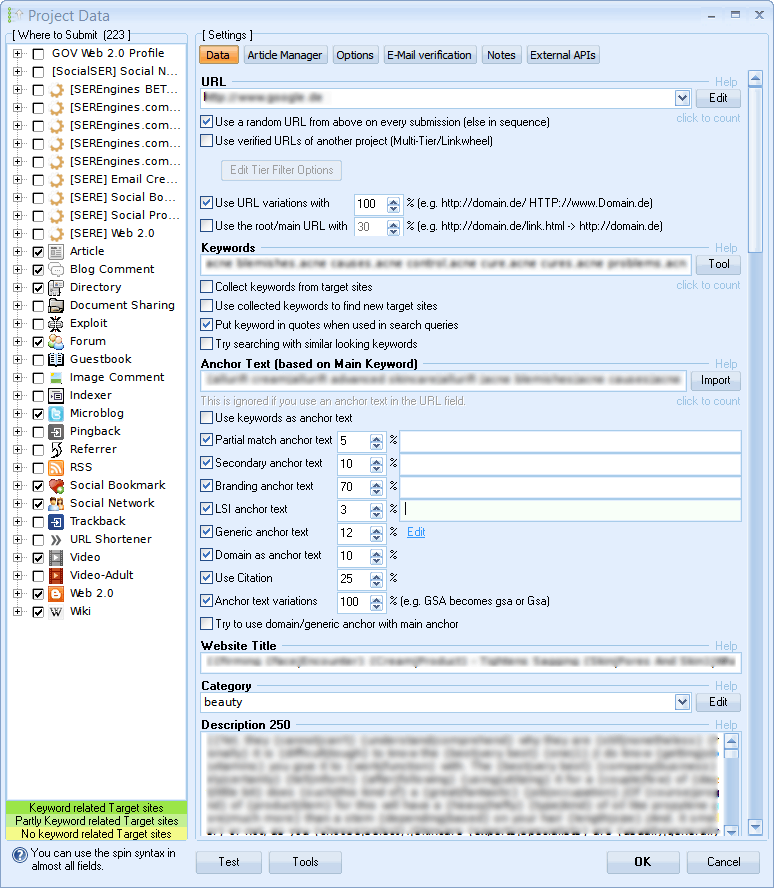
Customize Your Campaign & Target Keywords
Provide the information each project needs, including URLs, anchor text, descriptions, and content variations. Once configured, you are ready to start.
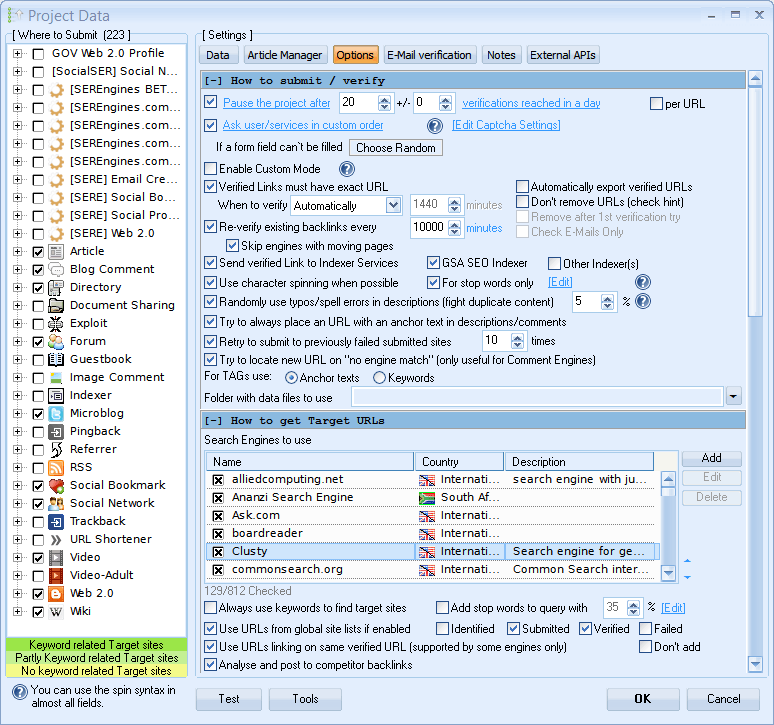
Advanced Control Settings for Custom Link Building
Each project can be configured to meet your backlinking needs. From custom CAPTCHA service setup to the behavior of link placement, you have full control - always.
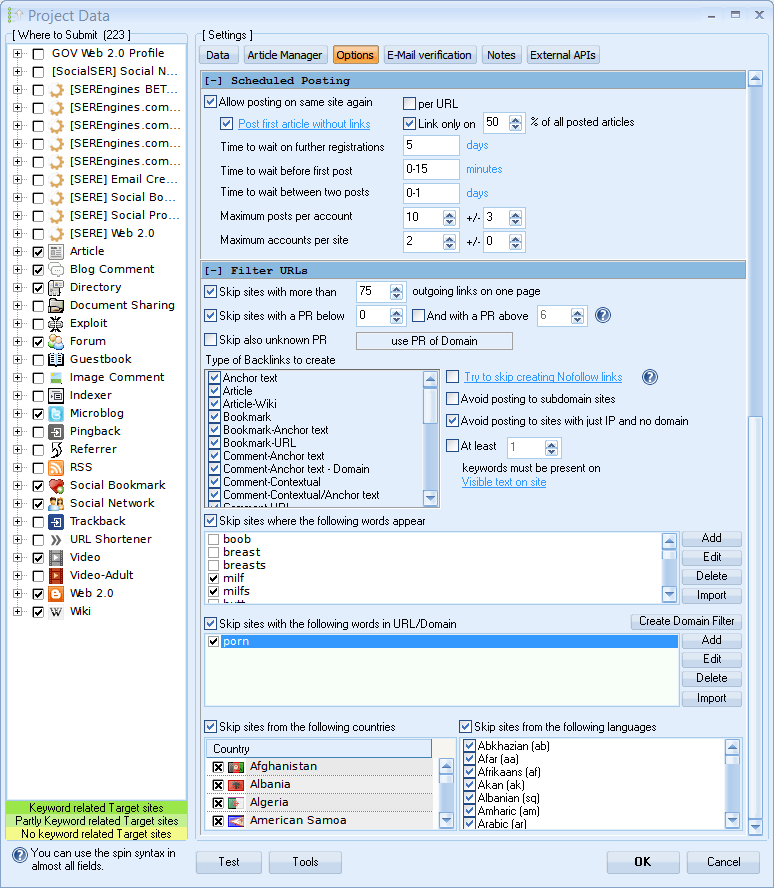
Use Filters to Improve Relevance
Choosing the right SEO strategy is essential, which is why we included extensive quality filters so the software places backlinks only on websites that meet your standards. Filters let you define allowed countries, target site languages, and minimum authority or quality thresholds.
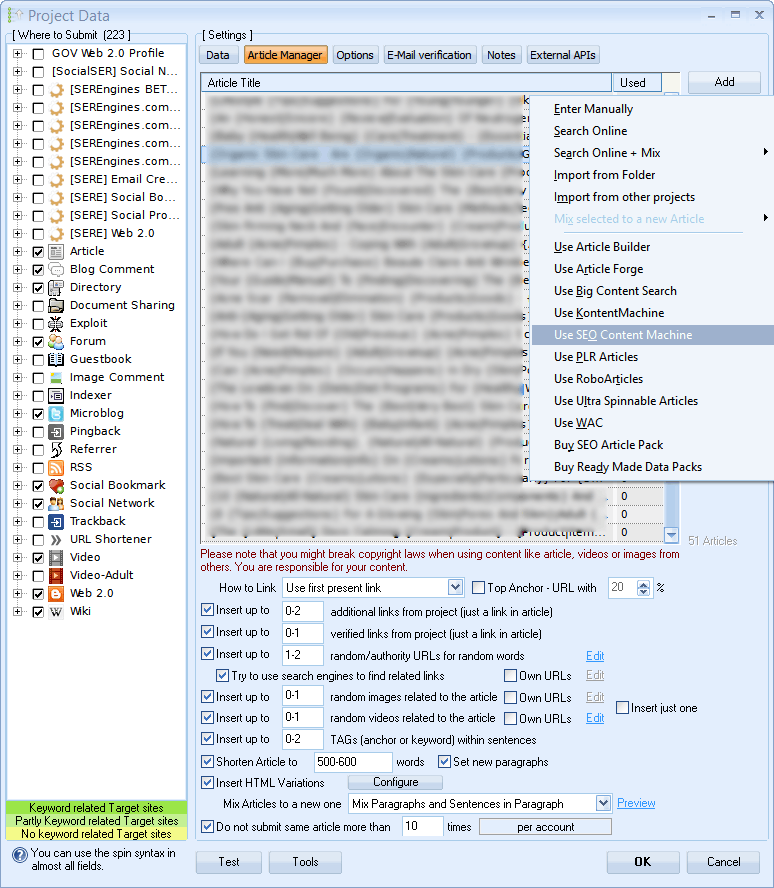
Integrated Article Manager for Automated Content
The built-in Article Manager helps you organize the text used in your projects. Import existing material, create variations, or connect compatible external tools such as GSA Content Generator.
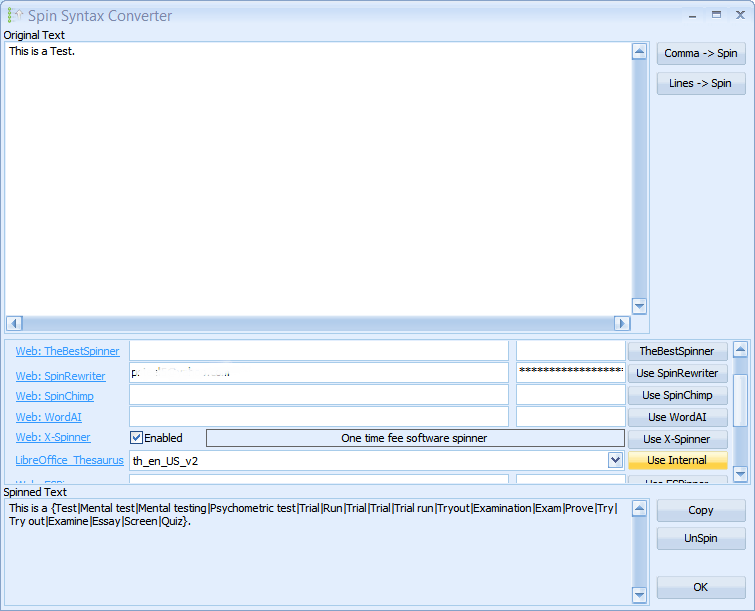
Content Spinner Setup for Unique Article Generation
The software supports several third-party services through APIs and includes an internal spinner for producing content variations. Review generated text before publishing it.
Automated Email Verification & Account Registration
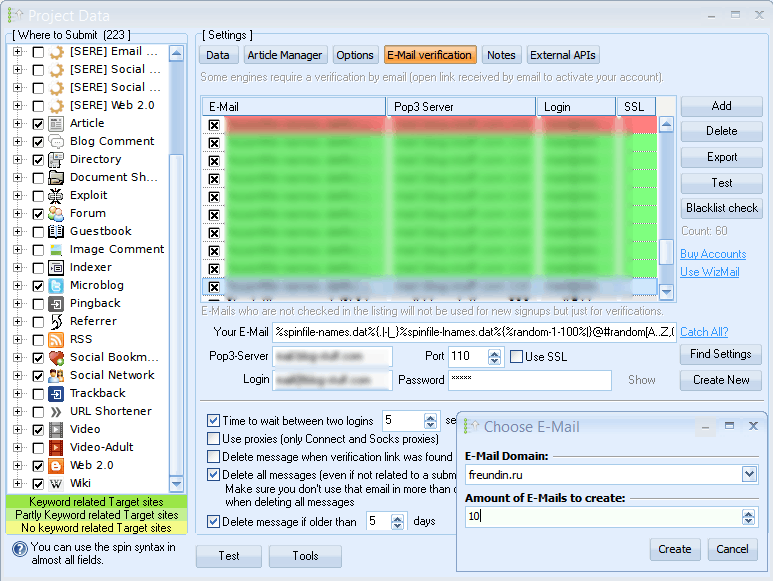
Import email accounts and use them for registration and verification tasks as part of a project. Simply add an email account - or let the software automate that step as well.
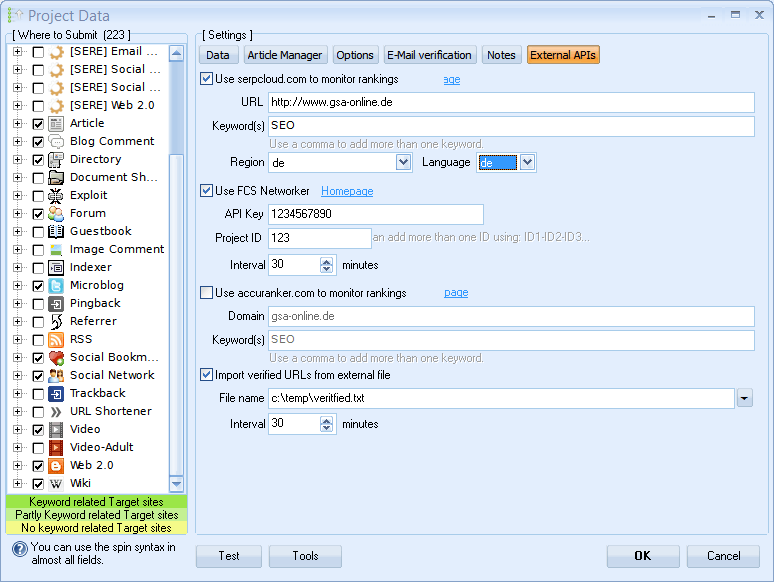
External API Integration for Indexing & CAPTCHA Services
Integrate supported CAPTCHA, indexing, content, and rank-checking services. Settings can be managed globally or customized for individual projects to fit your exact workflow.
Manage Proxy Sources
Proxies are widely used in SEO for good reason - to stay anonymous and keep tasks running smoothly. Import your own paid proxies or use the built-in scraper with thousands of public proxy sources.
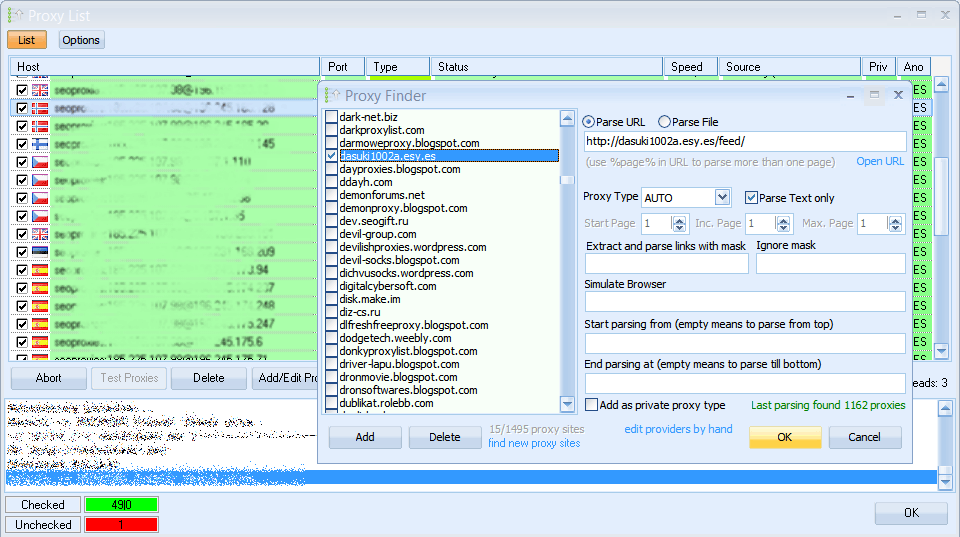
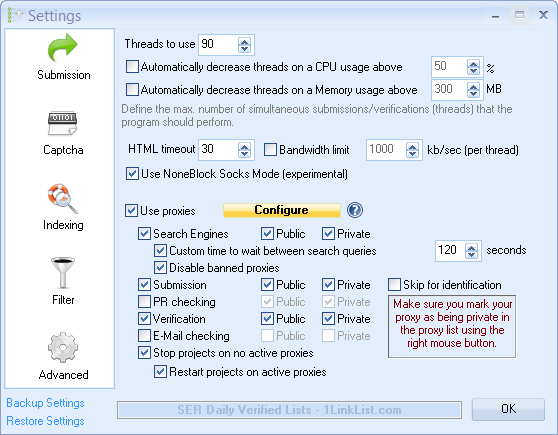
Control Proxy Behavior
Fine-tune your proxy setup and define where to use proxies and which types to allow. The software can pause or restart projects automatically when a proxy becomes unavailable or fails a quality check.
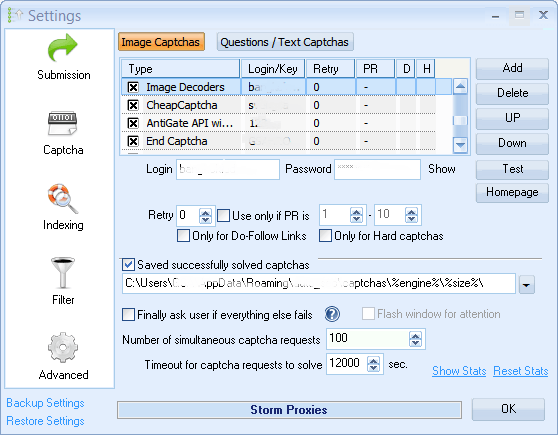
Connect CAPTCHA-Solving Services
Many websites require image or interactive verification during registration and submission. CAPTCHAs can be solved manually, but it is far faster letting automated software answer CAPTCHAs or using a third-party solving service. The software supports more than 30 CAPTCHA services, allowing you to select providers and define their priority.
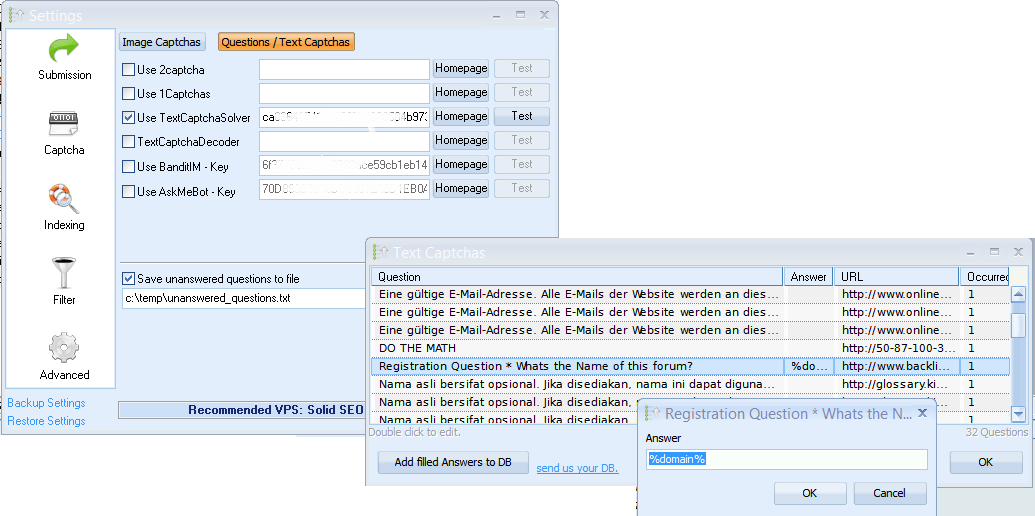
Text CAPTCHA Questions
The application includes a database of common text questions and allows you to add your own answers. You can also connect text CAPTCHA services to answer questions automatically, or record new questions and save your own answers so the software recognizes them next time.
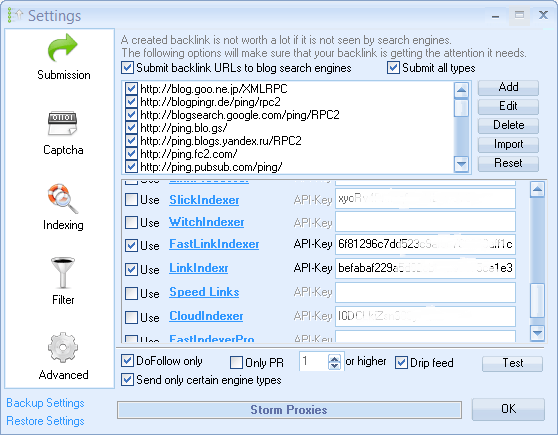
Tools for Monitoring Submitted URLs and Indexing Status
A backlink only delivers value when it is discovered and indexed by search engines. Choose from numerous integrated indexing services, or pair your campaigns with dedicated indexing software like ours. Using an external indexer is optional since links can get indexed naturally, though it can speed up discovery.
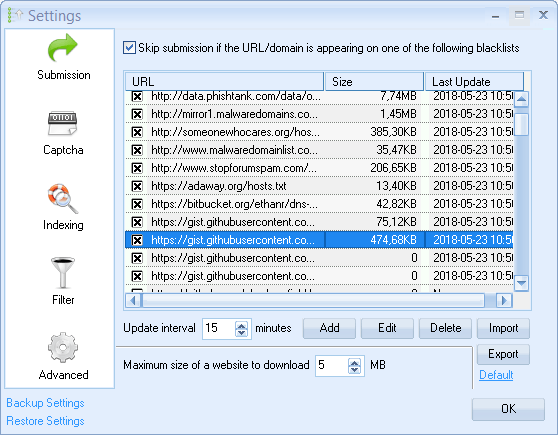
Check Domains Against a Blacklist
The global blacklist helps identify domains associated with malware or other undesirable characteristics. Updated at your chosen interval, the global filter checks that any target website you submit a backlink to is not on the blacklist.
Create Custom Platform Scripts
If the built-in platform options are not enough, advanced users can modify settings or create their own platform logic. Fine-tune nearly every aspect of how the software operates, or use its built-in script language to code custom platforms.
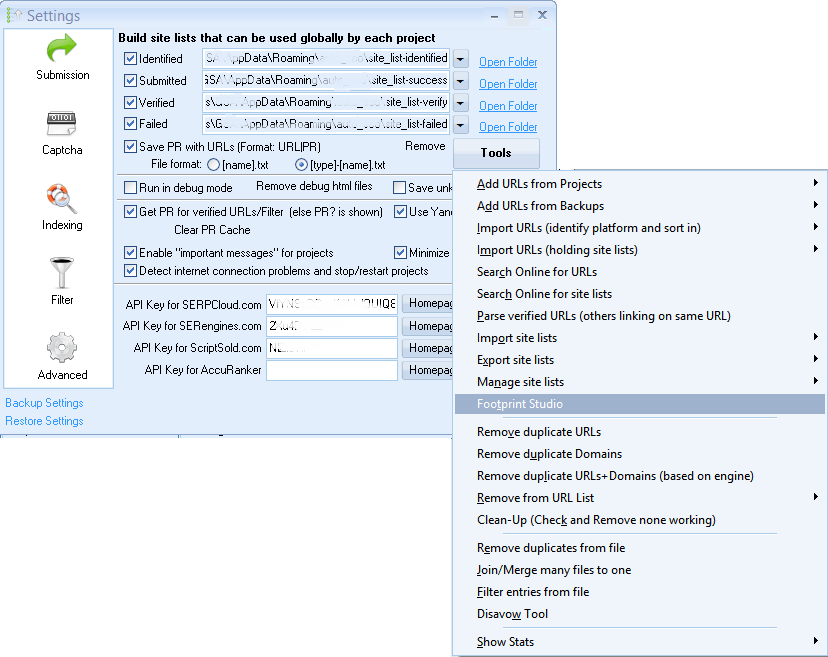
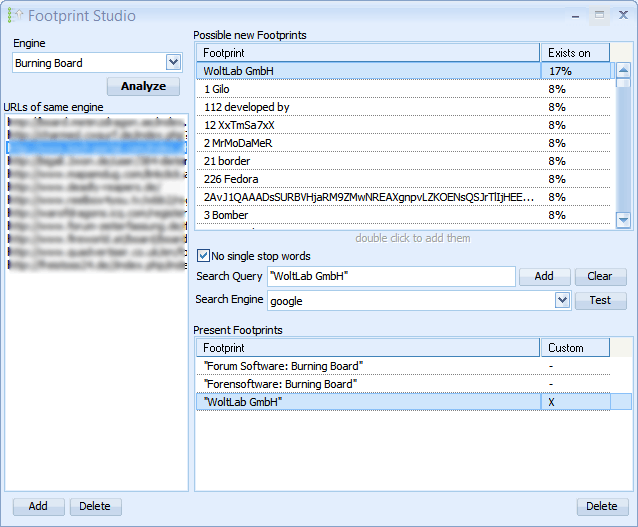
Find New Search Footprints
Footprint Studio analyzes known sites and suggests related search patterns that can be used in future campaigns.
How It Compares to Other Tools on the Market
The software focuses on local campaign automation and flexible project configuration. The table below compares its workflow with research suites and hosted submission tools.
| Feature / Metric | GSA Search Engine Ranker | Traditional SEO Suites (e.g., Ahrefs, Semrush) | Hosted Submitters (e.g., RankerX, Money Robot) |
|---|---|---|---|
| Primary Use Case | Campaign automation and target discovery | Backlink intelligence, keyword research & gap analysis | Template-driven, automated network submissions |
| Pricing Model | One-Time Payment (Lifetime License) | Recurring Monthly Subscription | Recurring Monthly or Premium Lifetime Subscriptions |
| Hidden Costs | One-time license; free lifetime updates | Expensive tier upgrades based on data usage limits | Fixed updates; monthly costs to keep accounts active |
| Target Discovery | Dynamic Real-Time Web Scraping via search footprints | No link creation; manual discovery from existing databases | Relies primarily on pre-built, fixed site lists & databases |
| Campaign Control | Unlimited concurrent projects, keywords, and URLs | Restricted by account tier quotas and seat licenses | Bound to specific pre-defined network structures |
| Platform Flexibility | Custom Scripting Engine to code your own platform logic | N/A (Analytical platform only) | Restricted to the built-in system engines and platforms |
| Content Generation | Integrated Article Manager with APIs for external spin/AI tools | Manual content creation or standalone AI writing extensions | Built-in general or basic internal text spinners |
| Infrastructure Setup | Self-hosted (Runs locally or via custom Windows VPS) | Web-based SaaS (No local machine setup required) | Hybrid cloud/desktop configurations |
| Captcha & Proxy Support | Support for more than 30 external CAPTCHA-solving services | N/A (Analytical platform only) | Built-in or limited external provider integrations |
Frequently Asked Questions (FAQs)
► What is GSA Search Engine Ranker anyway?
This software is an automated SEO tool designed to build links from targets that meet your selected quality and relevance criteria, improving your search engine visibility and rankings.
► Is it safe to use for my primary domain?
Yes, when configured responsibly with strict quality filters. Most SEO professionals use GSA Search Engine Ranker for off-page outreach research, multi-tier campaign management, and diversifying brand mentions on niche-relevant platforms rather than pointing high-volume automated links directly at a primary domain. With built-in country, language, and authority filters, you maintain full control over where your campaigns interact.
► Can I use AI-assisted content with GSA SER?
Yes. The software integrates with tools like GSA Content Generator and external APIs to help you draft and organize structured content variations. You can review, edit, and tailor your messaging to ensure every submission remains relevant, readable, and aligned with the specific context of your target platforms.
► Does the software include proxies?
Yes. It features an internal proxy scraper that pulls from thousands of public sources. You can also import your private paid proxies.
► Do I need dedicated proxies?
When building links at scale, search engines and target websites will quickly block your home IP address. Utilizing private or rotating proxies ensures that your automated submissions run continuously and anonymously without interruptions. GSA SER features a built-in proxy scraper to pull from thousands of public sources, and also allows you to import your own premium private proxies for maximum success rates.
► How can I speed up the Links Per Minute (LPM) submission rate?
To achieve a high LPM (Links Per Minute) or VPM (Verified Per Minute), you should optimize three main factors:
- Infrastructure: Run the software on a dedicated Windows VPS with high-speed SSD storage and unlimited bandwidth.
- Threads & CPU: Increase the number of active threads in the settings according to your system's hardware capabilities.
- Automated CAPTCHA Processing: Connect supported solving services like GSA Captcha Breaker to automate routine form verifications and keep multi-step campaigns running smoothly without manual bottlenecks.
► How do I make sure Google indexes the backlinks built by GSA SER?
To ensure fast indexing, you can connect GSA SER to automated indexing software like GSA SEO Indexer or external link indexing services. Organizing and monitoring links across different campaign tiers helps pass authority naturally onward to your main website.
► Can I filter target sites by specific languages and countries?
Yes. GSA SER features advanced project filters that give you full control over your target audience. You can restrict link-building automation to specific countries, filter out malware-infected domains via the Global Blacklist, or target specific website languages to keep your backlink profile relevant to your niche.
► Do I need a monthly subscription?
No. The product is sold with a lifetime license and free lifetime updates. Additional third-party services may have their own fees.
► Can I run the software on a VPS or Mac?
Yes. While it is natively built for Windows OS, it runs smoothly on a Windows VPS or on Mac and Linux using Virtual Machines, Wine, or Parallels.