GSA Object Motion Control
Analysis and monitoring of moving objects
Using a video camera, moving objects can be distinguished from their surrounding background and monitored. A recording (master image) is imported from the video interface at an configurable interval.
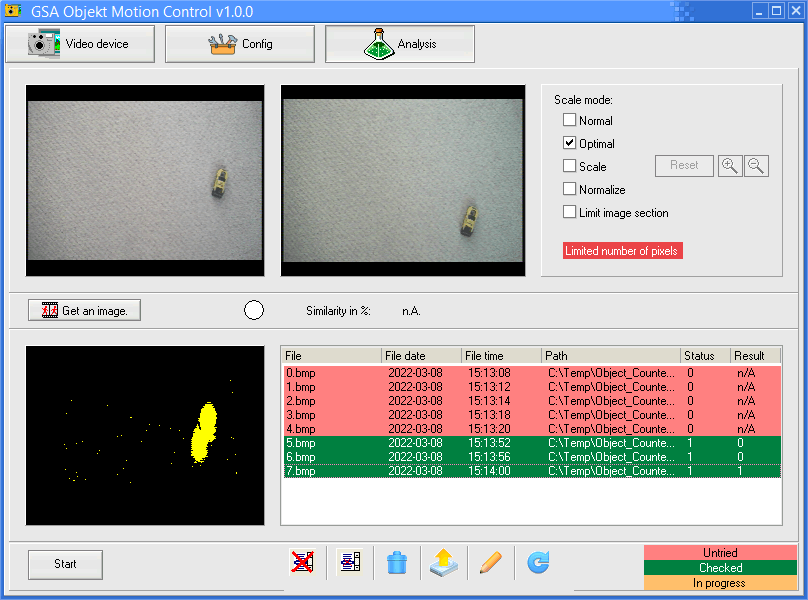
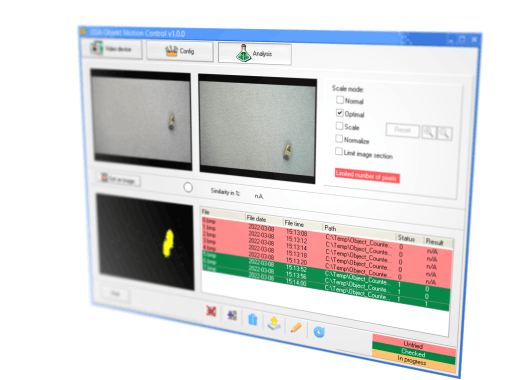
GSA Object Motion Control was developed to distinguish and monitor moving objects from their surrounding background. A video camera is used for this task. A recording (master image) is imported from the video interface at regular intervals. One or more shots follow this shot at adjustable intervals. The program analyzes all pixels of the master image line by line with the time-delayed recordings. All changed pixels are shown in yellow in a result image, pixels that have remained the same are shown in black. This resulting image is saved and entered in a table.
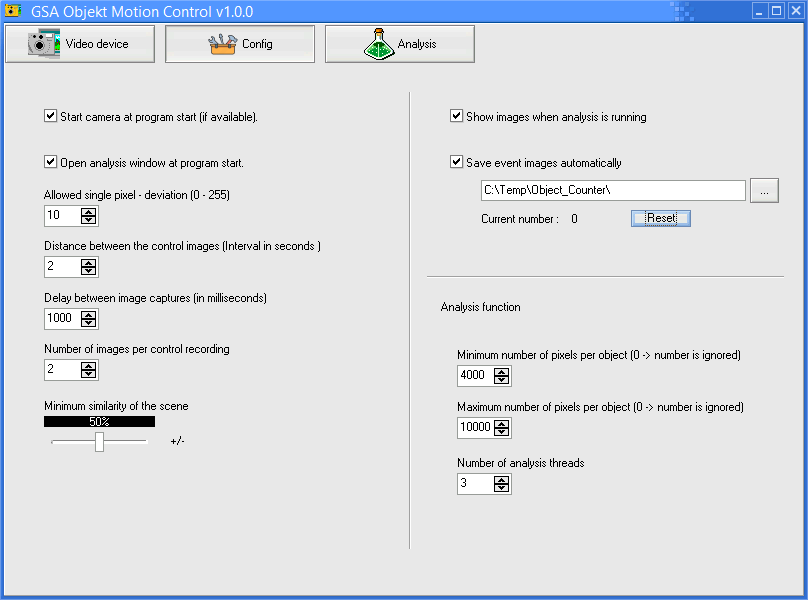
All result images can be evaluated directly after their creation (real-time analysis via threads) or at a later point in time using an analysis function. Yellow objects (moving objects) can be subsequently limited via the minimum and maximum number of pixels of an object. In this way, misinterpretations can be reduced.
Possible areas of application for this software are the monitoring (number) and counting of moving objects (video camera, microscope). An extension of object differentiation using an AI function is conceivable and could be implemented if required. The output of the movement activity and direction of movement of the objects could also be incorporated if required. All results can be output user-friendly using an export function.
All result images can be evaluated directly after their creation (real-time analysis via threads) or at a later point in time using an analysis function. Yellow objects (moving objects) can be subsequently limited via the minimum and maximum number of pixels of an object. In this way, misinterpretations can be reduced.
Possible areas of application for this software are the monitoring (number) and counting of moving objects (video camera, microscope). An extension of object differentiation using an AI function is conceivable and could be implemented if required. The output of the movement activity and direction of movement of the objects could also be incorporated if required. All results can be output user-friendly using an export function.
Motion Analysis
Motion detection and image analysis can be started here. The first image and the time-shifted images are displayed after they have been taken. Moving objects are displayed in yellow in the result monitor. All result images are saved and entered in a table. These result images can be analyzed in real time or at a later point in time.
Video source selection
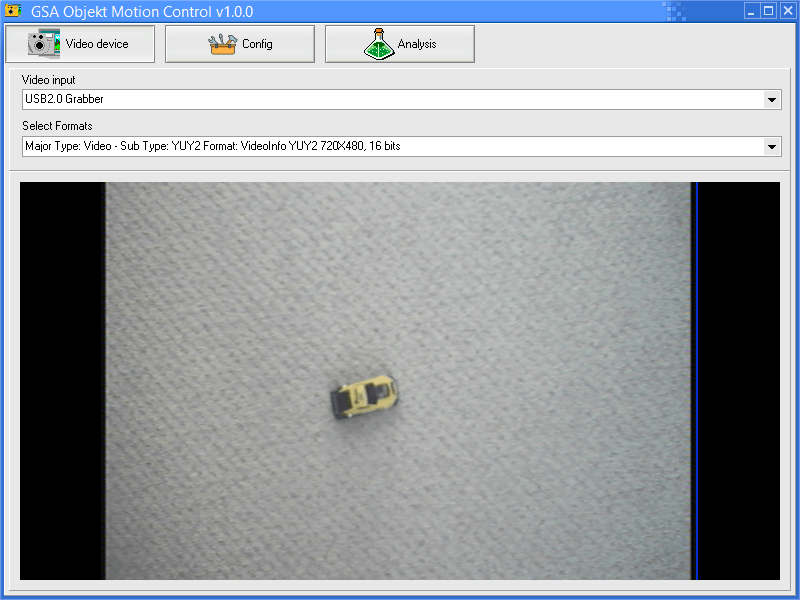
Selection of the video input device and setting of the video device resolution. If the selection or setting is successful, the live image is displayed directly in video form.
Export Options
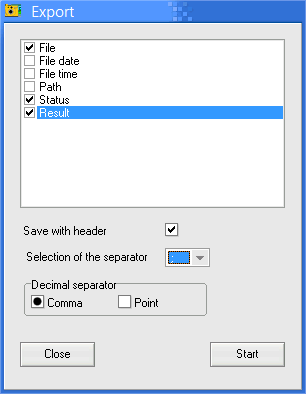
All entries in the results table can be exported. A complete configuration of this export is possible. Table columns, separators and headers are selectable.