
GSA Image Spider: Automated Bulk Image Downloader & Scraper
Extract thousands of images from any website or search engine automatically. Whether you need bulk image downloading by targeted keywords or want to crawl a full web server, GSA Image Spider crawls, extracts, and filters web graphics within seconds.

Finding high-quality, relevant images for your websites, blogs, or marketing campaigns can be an incredibly time-consuming task. Searching manually, filtering sizes, and navigating strict copyright laws often drains precious hours.
This is the ultimate automated bulk image downloader designed to solve this problem. Whether you need thousands of keyword-targeted photos for an SEO project or want to extract all visual assets from a specific competitor website, this powerful Windows software automates the entire process in seconds.
Equipped with more than 50 built-in search engine scrapers, GSA Image Spider allows you to safely find and download royalty-free and commercial-use images from across the globe. Skip the manual hassle, avoid copyright pitfalls, and build your media library on autopilot. With a one-time payment and lifetime free updates, it is the most cost-effective image scraper tool for webmasters, agencies, and content creators alike.
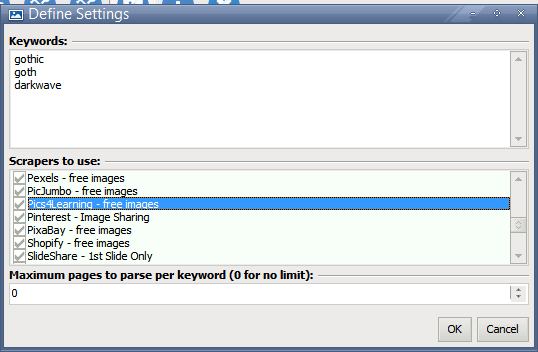
- Multi-Source Keyword Scraping: Tap into over 50 integrated search engines and image platforms simultaneously to find keyword-specific media in seconds.
- Deep Website URL Parsing: Enter any fixed domain or URL to crawl, extract, and download all hosted images automatically, including sublinks and deep directories.
- Royalty-Free Media Finder: Filter your search parameters specifically for commercial-use and royalty-free sources to keep your projects legally compliant.
- Built-in Proxy Scraper: Scrape anonymously and bypass search engine rate limits using the integrated proxy harvester that automatically finds and tests usable proxies.
- Advanced Smart Filters: Filter out low-quality imagery by setting strict global parameters for image resolution, file size, format, and creation date.
- Automated Batch Processing: Apply custom watermarks (text or images), adjust dimensions, and rename files automatically using preset filters before saving them to your hard drive.
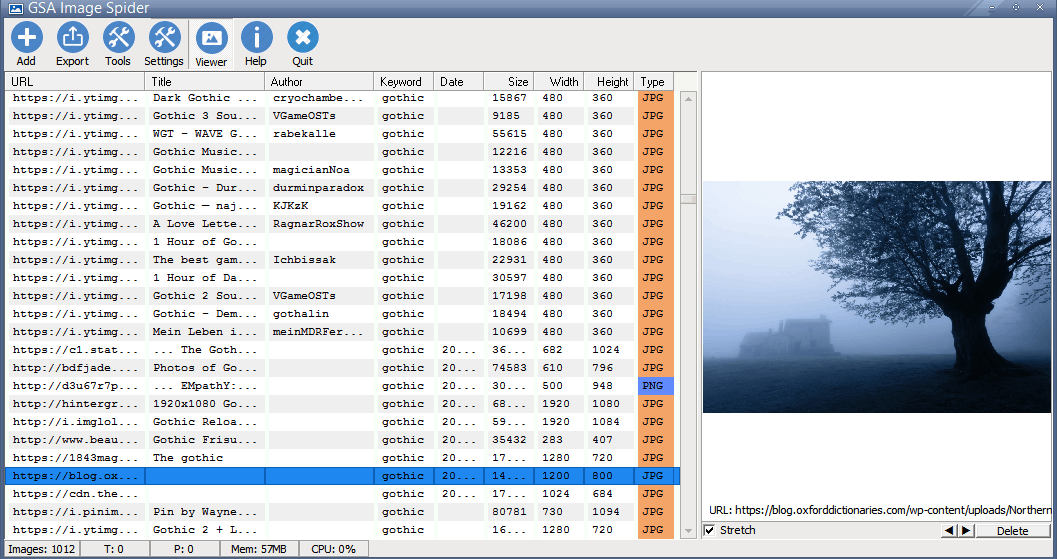
- In-App Media Viewer: Review, filter, and organize your scraped content instantly using the lightning-fast built-in image preview sidebar.
- Lifetime License & No Subscriptions: Pay once, use forever. Enjoy unlimited access to all future software updates and feature additions with zero recurring monthly fees.
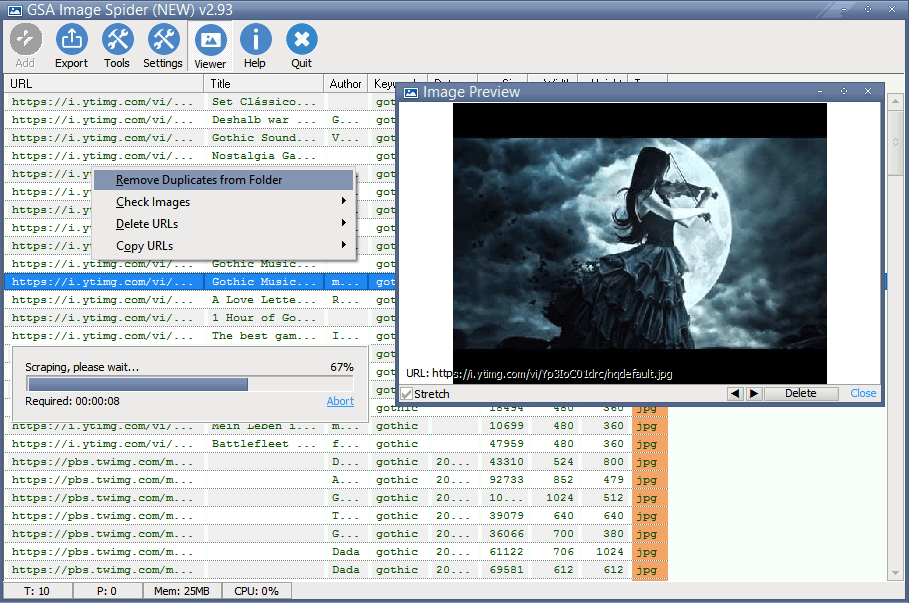
Automated Image Scraper for Copyright-Free Media
Custom Image Scraper Software Settings
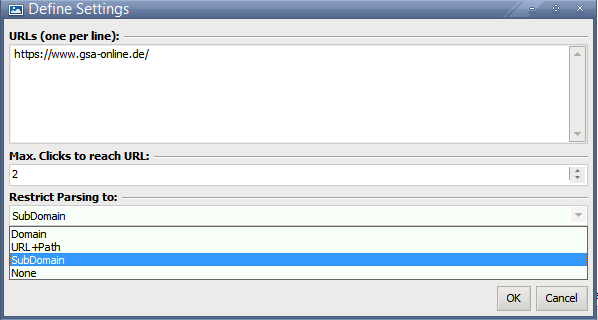
Bulk Image Downloader: Parse and Extract from Any URL
Built-in Viewer & Previewer for Scraped Media
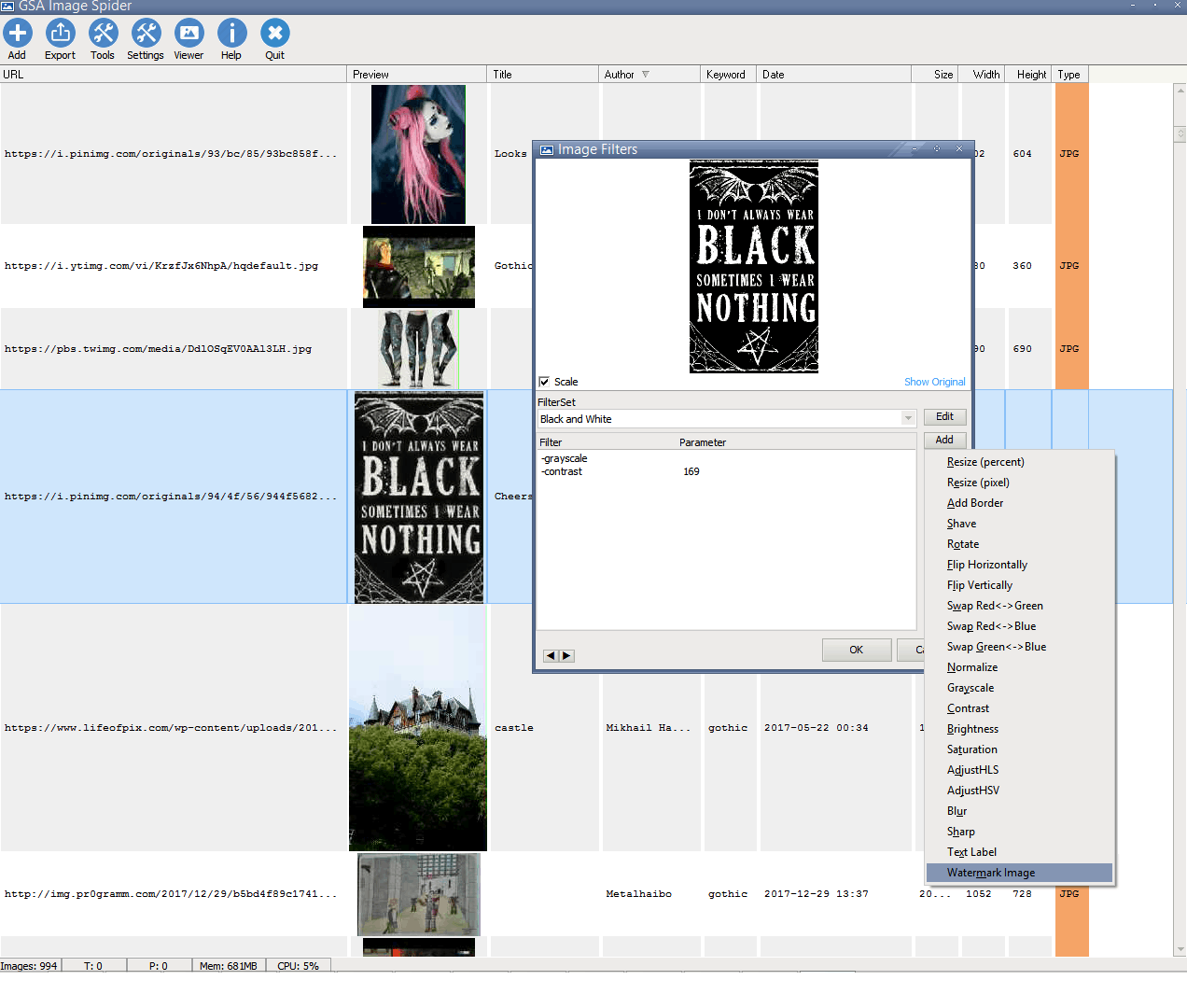
Advanced Filtering & Auto-Processing
Automated Watermarking & Bulk Optimization
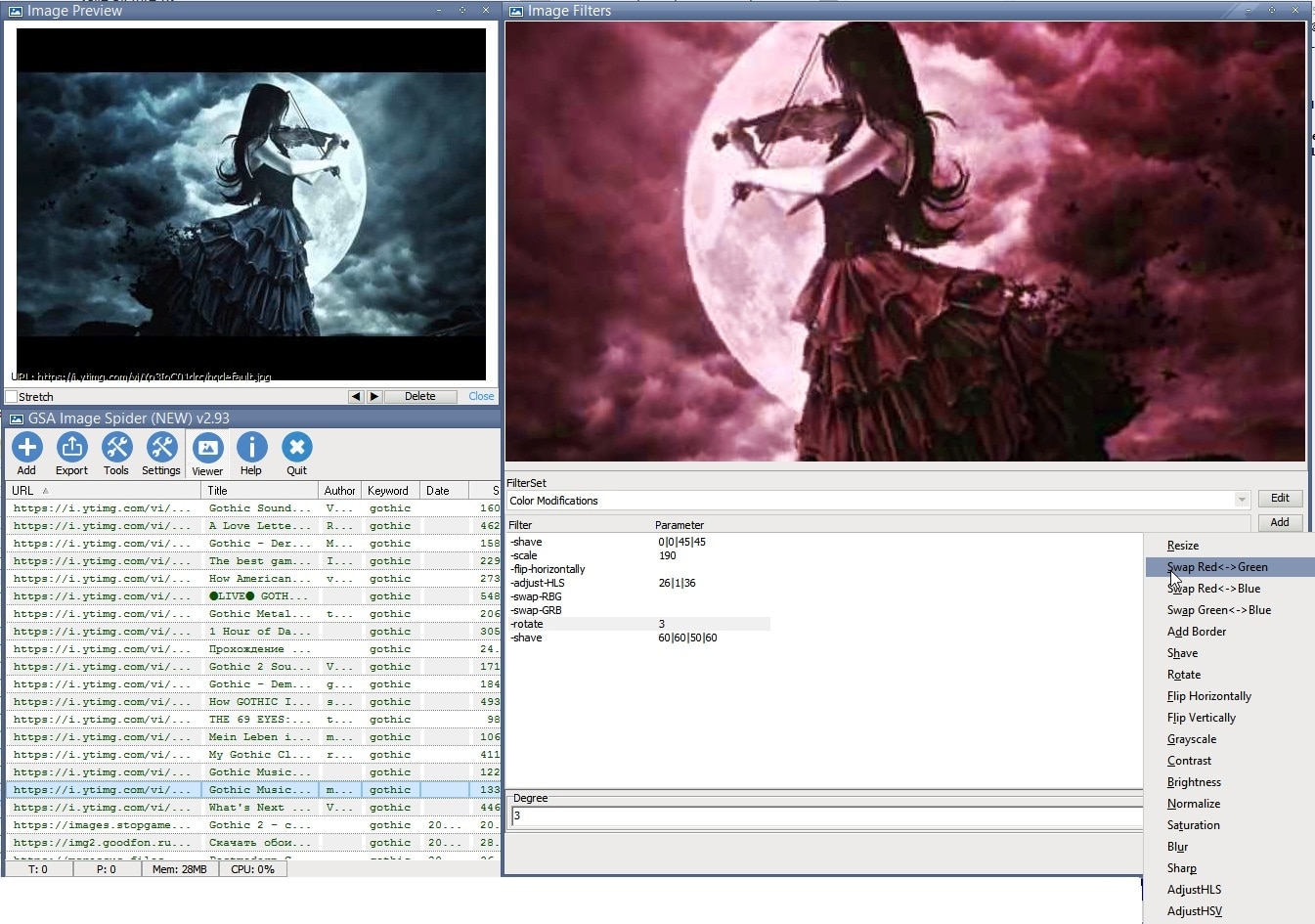
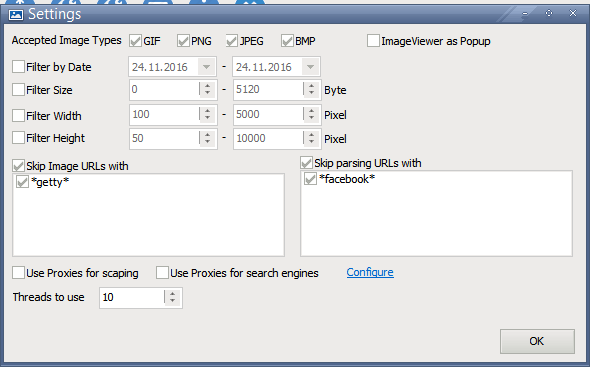
Built-in Proxy Support & Image Size Filters
Bulk Export & Custom File Renaming Options
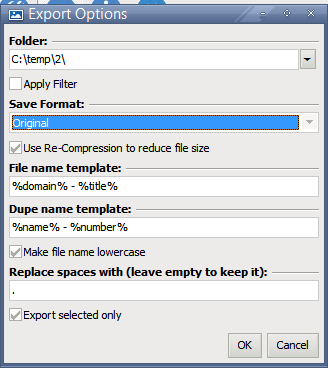
Image Sourcing Methods: How GSA Image Spider Compares
Here is a comprehensive comparison table highlighting the unique advantages of the software against other popular solutions on the market.
| Feature / Metric | GSA Image Spider | Manual Stock Platforms (Shutterstock, Pixabay) | Cloud-Based Web Scrapers (Octoparse, ParseHub) | Custom Scraping Scripts (Python / Node.js) |
|---|---|---|---|---|
| Pricing Model | One-time payment (True Lifetime License) | High monthly subscription or pay-per-image fees | Expensive recurring monthly SaaS plans | High upfront development and maintenance costs |
| Speed & Volume | Automated bulk downloads in seconds | Slow, tedious one-by-one manual saving | Fast, but capped by monthly cloud data limits | Fast, but breaks easily when web layouts change |
| Scraping Sources | 50+ search engines & any custom URL | Restricted to a single platform library | Hard to configure for deep image nesting | Limited only to specific API endpoints |
| Anti-Block Protection | Built-in proxy harvester & automatic tester | Not applicable (Manual browsing) | Requires expensive external proxy add-ons | Manual proxy rotation logic must be coded |
| On-Page SEO Optimization | Batch watermark, resize, and rename inline | Requires manual editing in third-party software | Downloads raw files only without compression | Requires integrating extra image-processing libraries |
| Copyright Compliance | Built-in commercial & royalty-free filters | Requires manual verification of licenses | No native license-filtering capabilities | Must code custom parameters for each source |
| Skill Requirement | User-friendly Windows desktop UI | Simple but heavily drains labor hours | Complex workflow setup and element selection | Advanced programming knowledge mandatory |