
GSA Search Engine Ranker: The Ultimate Automated Link Building Software
Boost your website's visibility using the industry's most powerful, fully automated outreach tool. Run unlimited projects 24/7, discover new target platforms organically, and scale your growth strategy without lifting a finger.

Launch Your First Campaign in 3 Simple Steps
1. Create a Project and select platforms
- Action: Open the software and click "New Project" in the top menu.
- Selection: Select the types of platforms that fit your campaign, such as article directories, Web 2.0 sites, forums, or wikis.
2. Add your URLs and Content
- Target: Enter the website addresses you want to promote, along with suitable anchor text and descriptions.
- Content: Add your own articles or use the built-in Article Manager and supported third-party content tools.
3. Apply Filters and start the Project
- Quality: Define your target audience - Choose relevant languages, countries, platform types, and other quality settings such as minimum authority metrics.
- Launch: Click the big "Start" button. The software will now run 24/7 to find targets, solve CAPTCHAs, and build your backlinks automatically.
Why is it still used by SEO Experts around the world for over 20 years?
Unlike traditional SEO software that relies on fixed databases, our software adapts to the web in real-time. It dynamically discovers new platforms, creates accounts and submits content.
- Dynamic Platform Discovery: Automatically scrapes and identifies new backlink targets by searching Google for matching sites.
- Smart Quality Filters: Filter sites by country, language and authority metrics to maintain a clean, spam-free link profile.
- All-in-One Integration: Seamlessly connects with 30+ CAPTCHA services, text spinners, AI APIs and indexing tools.
- One-Time Payment: Pay once instead of subscribing every month. The license includes free lifetime updates.
Improve Search Engine Rankings with Automated SEO Strategies
Everyone can improve their website ranking with our software. As long as you have the SEO strategy, we have the tool. Your mind and creativity are the only limit. Projects can run independently, allowing you to work with multiple websites or campaign tiers from one interface.
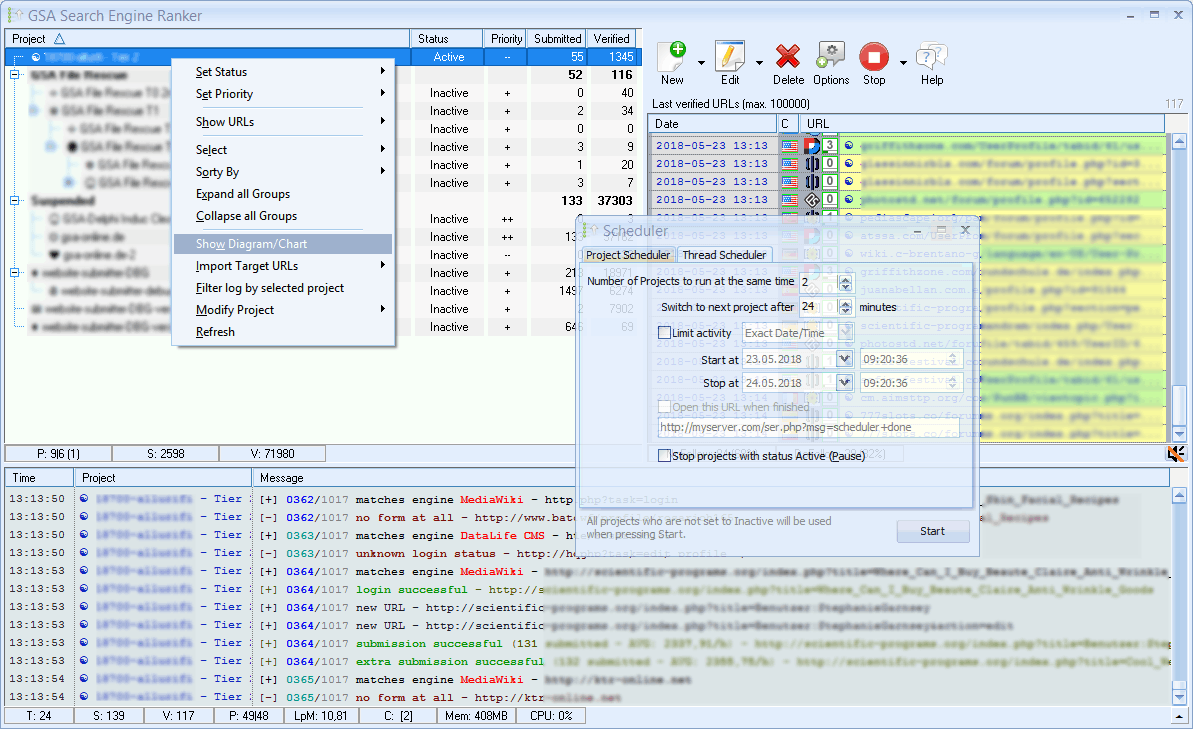
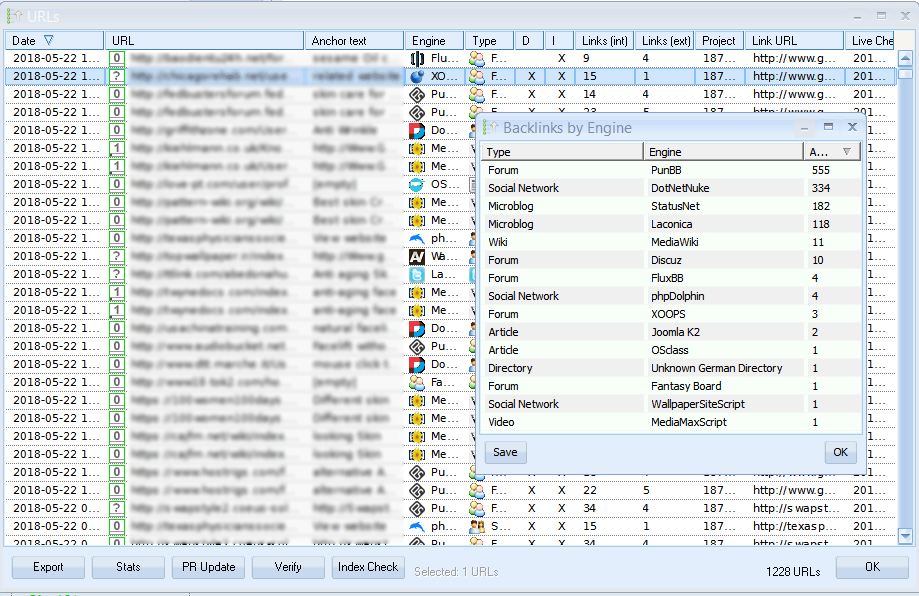
Monitor submitted links
Review campaign statistics and check whether submitted links are still available. You can even have the software remove previously created links automatically (login, edit and remove posting).
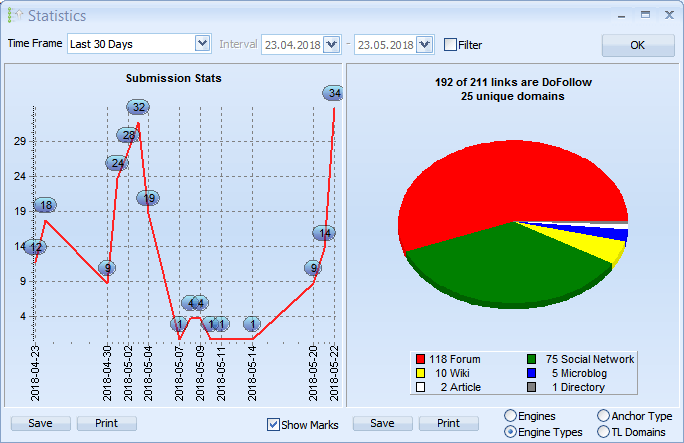
Review Campaign Performance Visually
Charts and statistics provide an overview of your projects and submitted links. Use them to identify trends and refine your workflow.
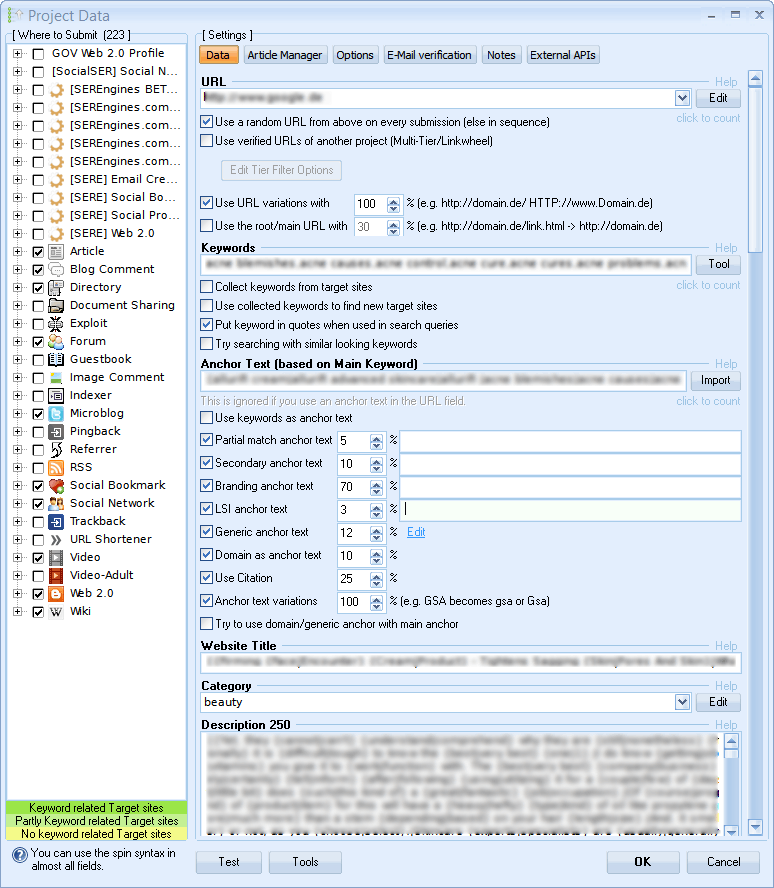
Customize Your Campaign & Target Keywords
Provide the information each project needs, including URLs, anchor text, descriptions, and content variations. Once done, you are almost ready to start.
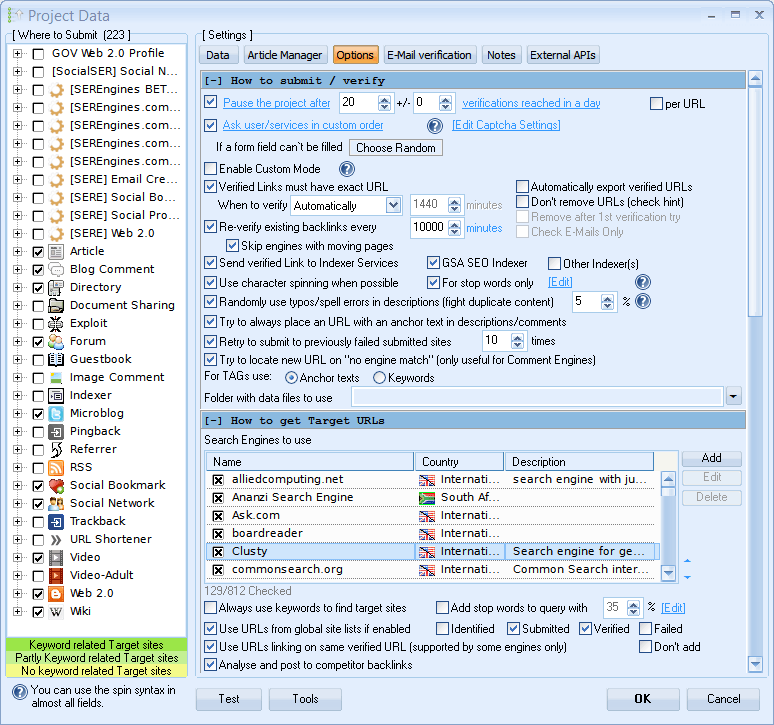
Advanced Control Settings for Custom Link Building
Each project can be configured to meet your backlinking needs. From custom CAPTCHA service setup to the behavior of link placement, you have full control - always.
Use Filters to improve Relevance
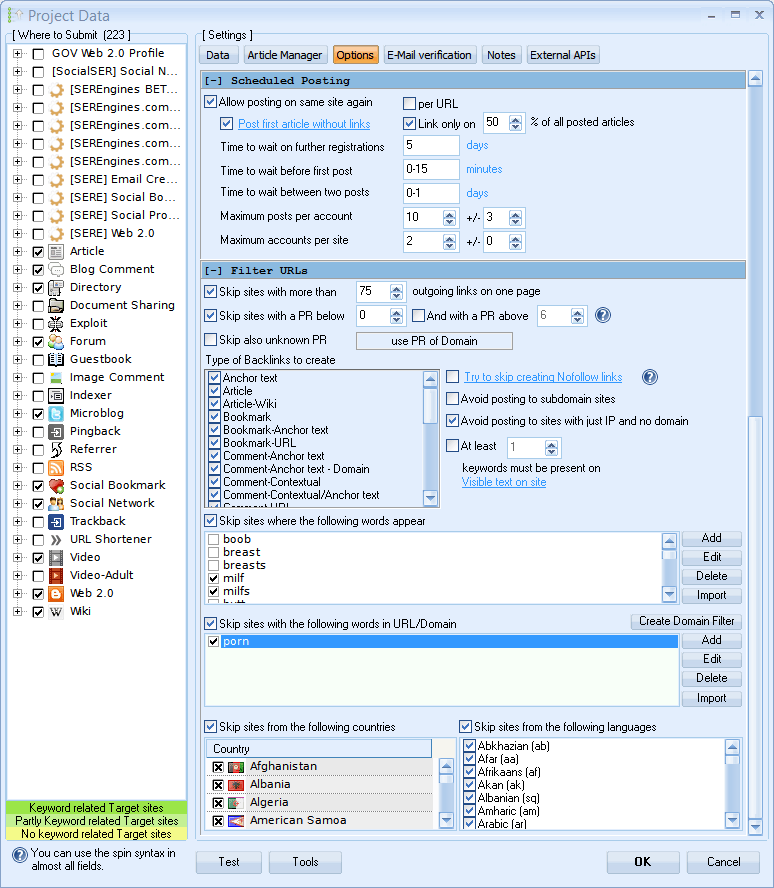
Choosing the right SEO strategy is very important and that's why we included many quality filters that allow the software to leave backlinks on websites that are actually worth it. Filters allow you to define the countries where links can be placed, the language the site should have and the minimum authority or quality thresholds.
Integrated Article Manager for Automated Content
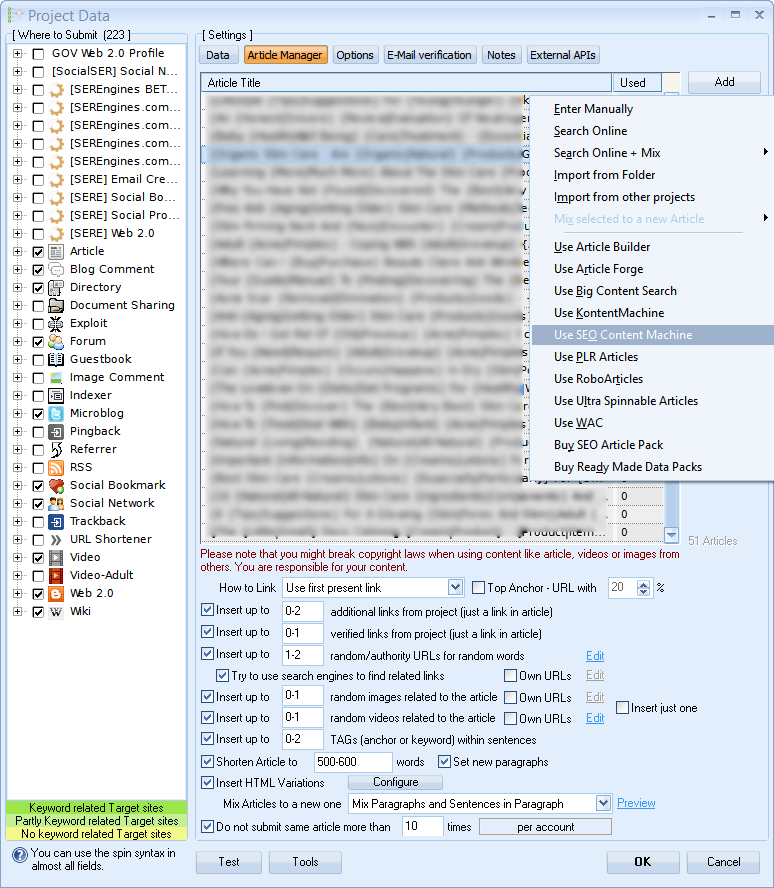
The built-in Article Manager helps you organize the text used in your projects. Import existing material, create variations, or connect compatible external tools such as GSA Content Generator.
Content Spinner Setup for Unique Article Generation
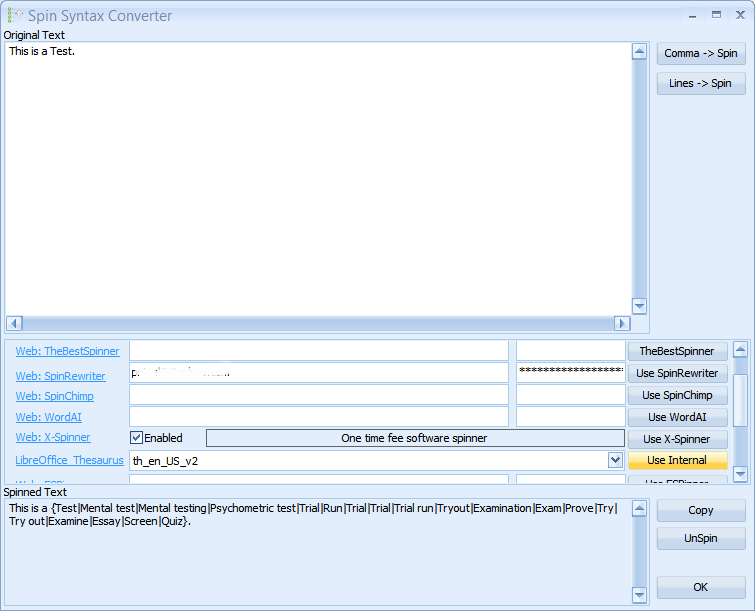
The software supports several third-party services through APIs and includes an internal spinner for producing content variations. Review generated text before publishing it.
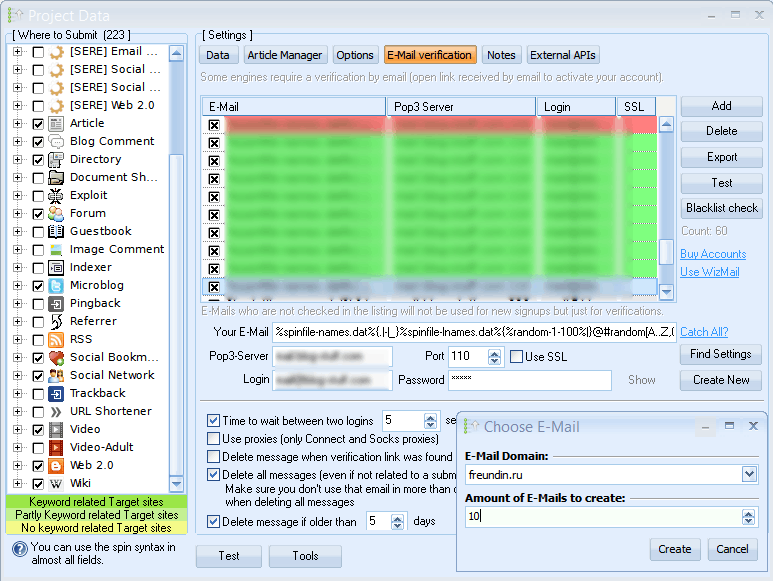
Automated Email Verification & Account Registration
Import email accounts and use them for registration and verification tasks as part of a project. All you have to do is set up a new email and even that can be automated.
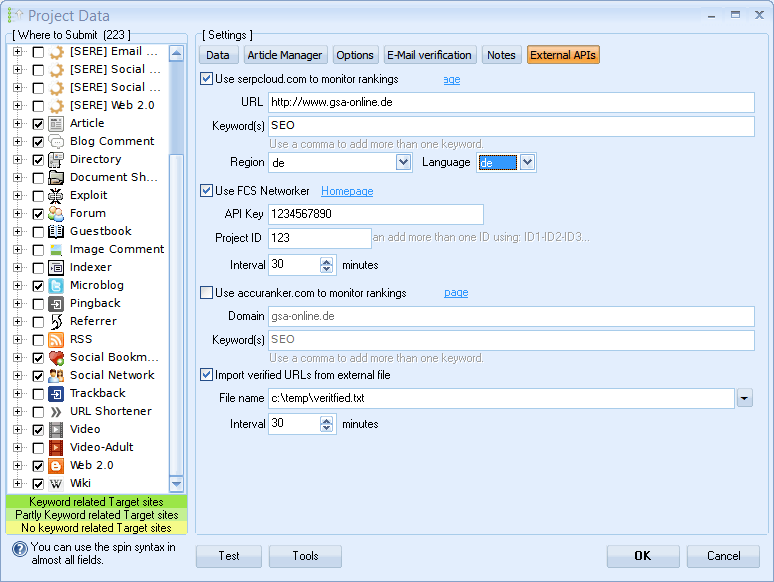
External API Integration for Indexing & Captcha Services
Integrate supported CAPTCHA, indexing, content, and rank-checking services. Settings can be managed globally or customized for individual projects. You can control everything to fit your needs on a per-project level.
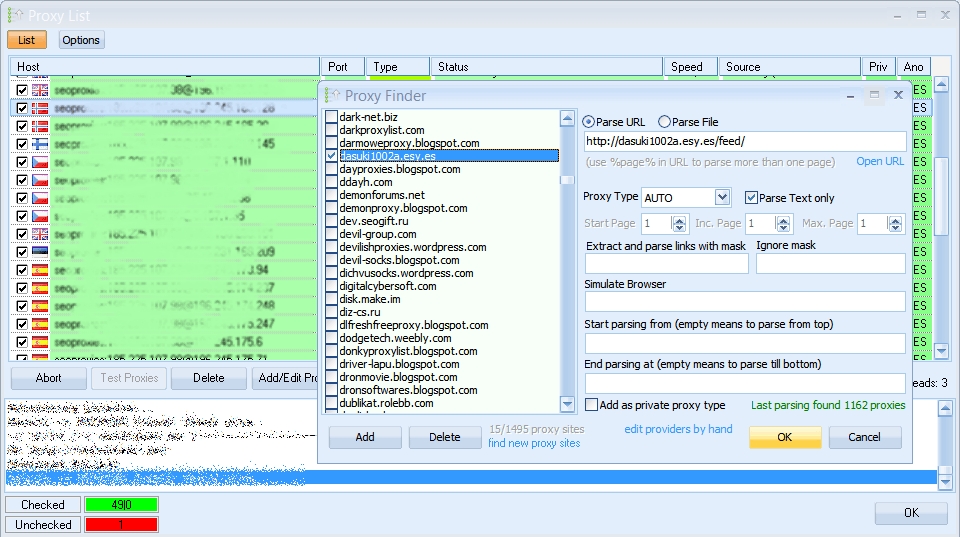
Manage Proxy Sources
Proxies are used a lot in SEO for a good reason - to stay anonymous and to speed things up. Import your own paid proxies or use the built-in scraper with thousands of public proxy sources.
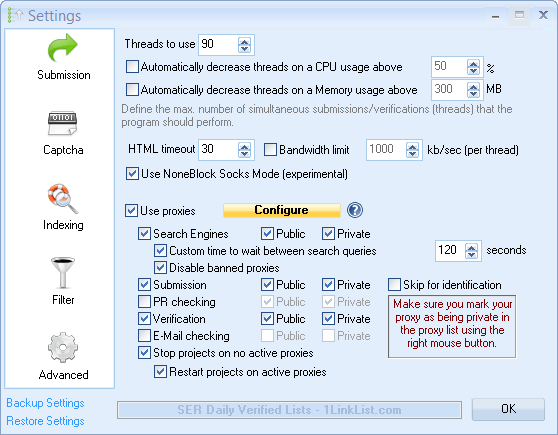
Control Proxy Behavior
Fine tune your proxy setup and define where to use proxies and what type. The software can pause or restart projects when a proxy becomes unavailable or fails a quality check.
Connect CAPTCHA-solving Services
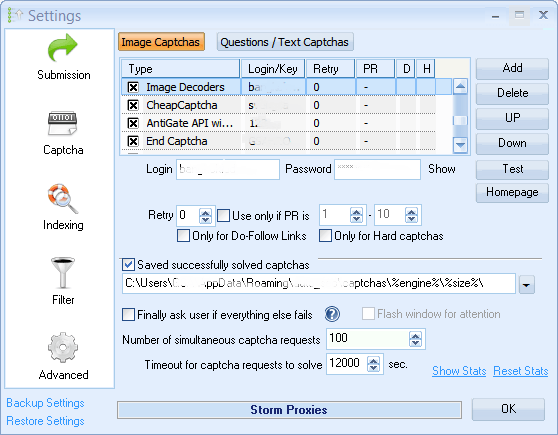
Many websites require image or interactive verification during registration and submission. Captchas can be solved by humans manually, but it's easier letting software answer CAPTCHAs or a third party CAPTCHA service. The software supports more than 30 CAPTCHA services, allowing you to select providers and define their priority.
Text CAPTCHA Questions
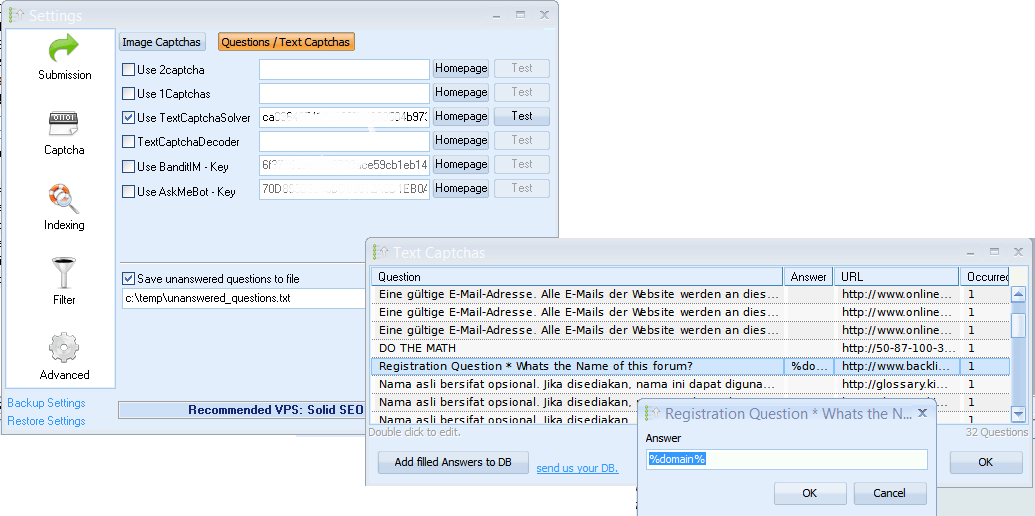
The application includes a database of common text questions and allows you to add your own answers. You can define additional text CAPTCHA services to let them answer the questions automatically. You can also record the questions and answer them yourself, so the software knows the answer next time it sees the same question.
Tools for monitoring submitted URLs and indexing status
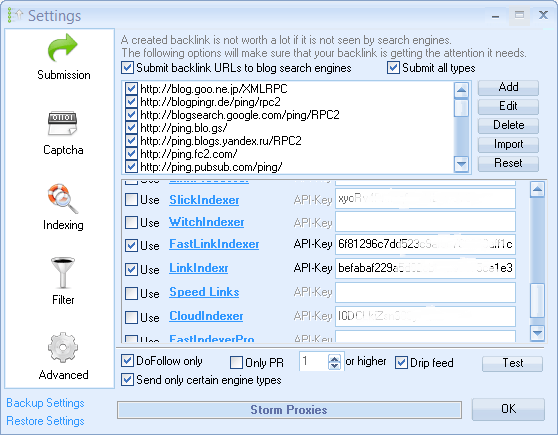
A backlink is only worth it if it is seen and indexed by search engines. There are many indexing services to choose from, or you can simply use an indexing software like the one we offer. Using an external indexer is not required because links can get indexed naturally, but might require more time.
Check Domains against a Blacklist
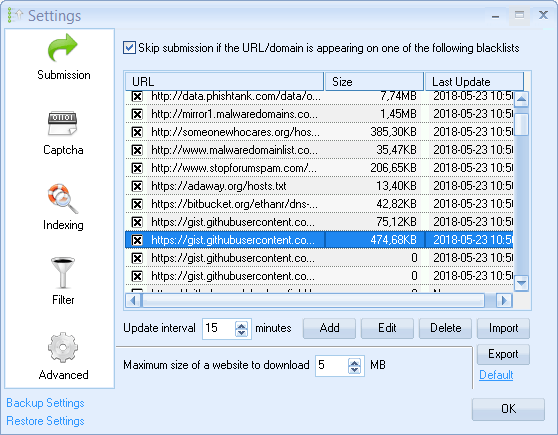
The global blacklist helps identify domains associated with malware or other undesirable characteristics. The global filter is updated at the interval of your choice and will check to make sure the website you're submitting a backlink to, isn't on the blacklist.
Create Custom Platform Scripts
If the built-in platform options are not enough, advanced users can modify settings or create their own platform logic. Feel free to configure things even further with the advanced options where you can change almost everything the software does. It even comes with its own script language that you can use to code your own platforms.
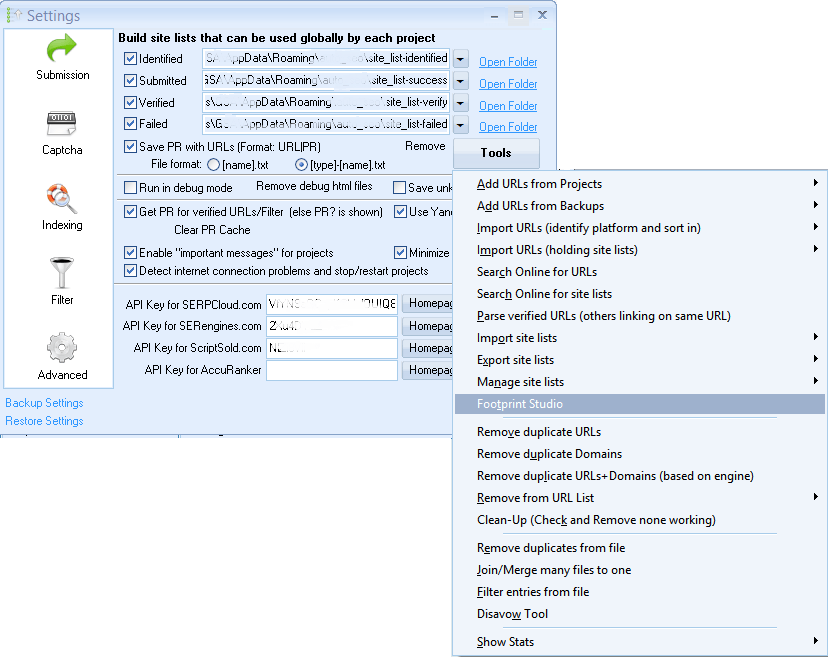
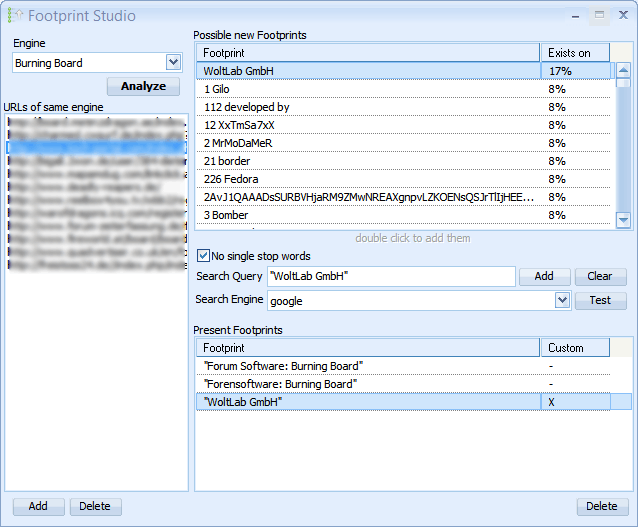
Find new Search Footprints
Footprint Studio analyzes known sites and suggests related search patterns that can be used in future campaigns.
How does it Compare to other tools on the Market
The software focuses on local campaign automation and flexible project configuration. The table below compares its workflow with research suites and hosted submission tools.
| Feature / Metric | GSA Search Engine Ranker | Traditional SEO Suites (e.g., Ahrefs, Semrush) | Hosted Submitters (e.g., RankerX, Money Robot) |
|---|---|---|---|
| Primary Use Case | Campaign automation and target discovery | Backlink intelligence, keyword research & gap analysis | Template-driven, automated network submissions |
| Pricing Model | One-Time Payment (Lifetime License) | Recurring Monthly Subscription | Recurring Monthly or Premium Lifetime Subscriptions |
| Hidden Costs | One-time license; free lifetime updates | Expensive tier upgrades based on data usage limits | Fixed updates; monthly costs to keep accounts active |
| Target Discovery | Dynamic Real-Time Web Scraping via search footprints | No link creation; manual discovery from existing databases | Relies primarily on pre-built, fixed site lists & databases |
| Campaign Control | Unlimited concurrent projects, keywords, and URLs | Restricted by account tier quotas and seat licenses | Bound to specific pre-defined network structures |
| Platform Flexibility | Custom Scripting Engine to code your own platform logic | N/A (Analytical platform only) | Restricted to the built-in system engines and platforms |
| Content Generation | Integrated Article Manager with APIs for external spin/AI tools | Manual content creation or standalone AI writing extensions | Built-in general or basic internal text spinners |
| Infrastructure Setup | Self-hosted (Runs locally or via custom Windows VPS) | Web-based SaaS (No local machine setup required) | Hybrid cloud/desktop configurations |
| Captcha & Proxy Support | Support for more than 30 external CAPTCHA-solving services | N/A (Analytical platform only) | Built-in or limited external provider integrations |
Frequently Asked Questions (FAQs)
► What is GSA Search Engine Ranker anyway?
This software is an automated SEO tool designed to build links from targets that meet your selected quality and relevance criteria, improving your search engine visibility and rankings.
► Is it safe for my main website (Money Site)?
Yes. However, it's suggested to use filters or URL Redirects only when used directly for your money site. Most customers use it for Tier 2 and Tier 3 link-building campaigns rather than pointing automated links directly to the main "Money Site". By building contextual links (articles, Web 2.0s) in Tier 1 and using GSA SER to power up those Tier 1 links with blog comments, image comments and guestbooks in Tier 2, you manage campaign activities with configurable filters and settings designed to help you make informed, policy-conscious decisions.
► Can I use AI-generated content with GSA SER?
Yes, absolutely. The application integrates seamlessly with tools like GSA Content Generator and external APIs and AI Tools to import articles. In the era of AI Overviews, combining unique AI-generated text with the software's built-in content spinning capabilities allows you to submit completely diverse, context-rich content across thousands of platforms simultaneously, helping you track indexing activity and identify URLs that may need further review.
► Does the software include proxies?
Yes. It features an internal proxy scraper that pulls from thousands of public sources. You can also import your private paid proxies.
► Do I need dedicated proxies?
When building links at scale, search engines and target websites will quickly block your home IP address. Utilizing private or rotating proxies ensures that your automated submissions run continuously and anonymously without interruptions. GSA SER features a powerful built-in proxy scraper to pull from thousands of public sources, but also allows you to import your own premium private proxies for maximum success rates.
► How can I speed up the Links Per Minute (LPM) submission rate?
To achieve a high LPM (Links Per Minute) or VPM (Verified Per Minute), you should optimize three main factors:
- Infrastructure: Run the software on a dedicated Windows VPS with high-speed SSD storage and unlimited bandwidth.
- Threads & CPU: Increase the number of active threads in the settings according to your system's hardware capabilities.
- Automated Captcha Solvers: Connect a reliable tool like GSA Captcha Breaker to instantly bypass visual and text barriers without lagging the program execution.
► How do I make sure Google indexes the backlinks built by GSA SER?
To ensure fast indexing, you can connect GSA SER to automated indexing software like GSA SEO Indexer or external link indexing services. Organizing and monitoring links across different campaign tiers helps to naturally pass the "link juice" directly onward to your main website.
► Can I filter target sites by specific languages and countries?
Yes. GSA SER features advanced project filters that give you full control over your target audience. You can restrict the link-building automation to specific countries, filter out malware-infected domains via the Global Blacklist or target specific website languages to keep your backlink profile highly relevant to your niche.
► Do I need a monthly subscription?
No. The product is sold with a lifetime license and free lifetime updates. Additional third-party services may have their own fees.
► Can I run the software on a VPS or MAC?
Yes. While it is natively built for Windows OS, it runs perfectly on a Windows VPS or on Mac and Linux using Virtual Machines, Wine or Parallels.